
Sales Enablement & CRM Automation Agency
Sales Enablement & CRM Automation Agency In Houston
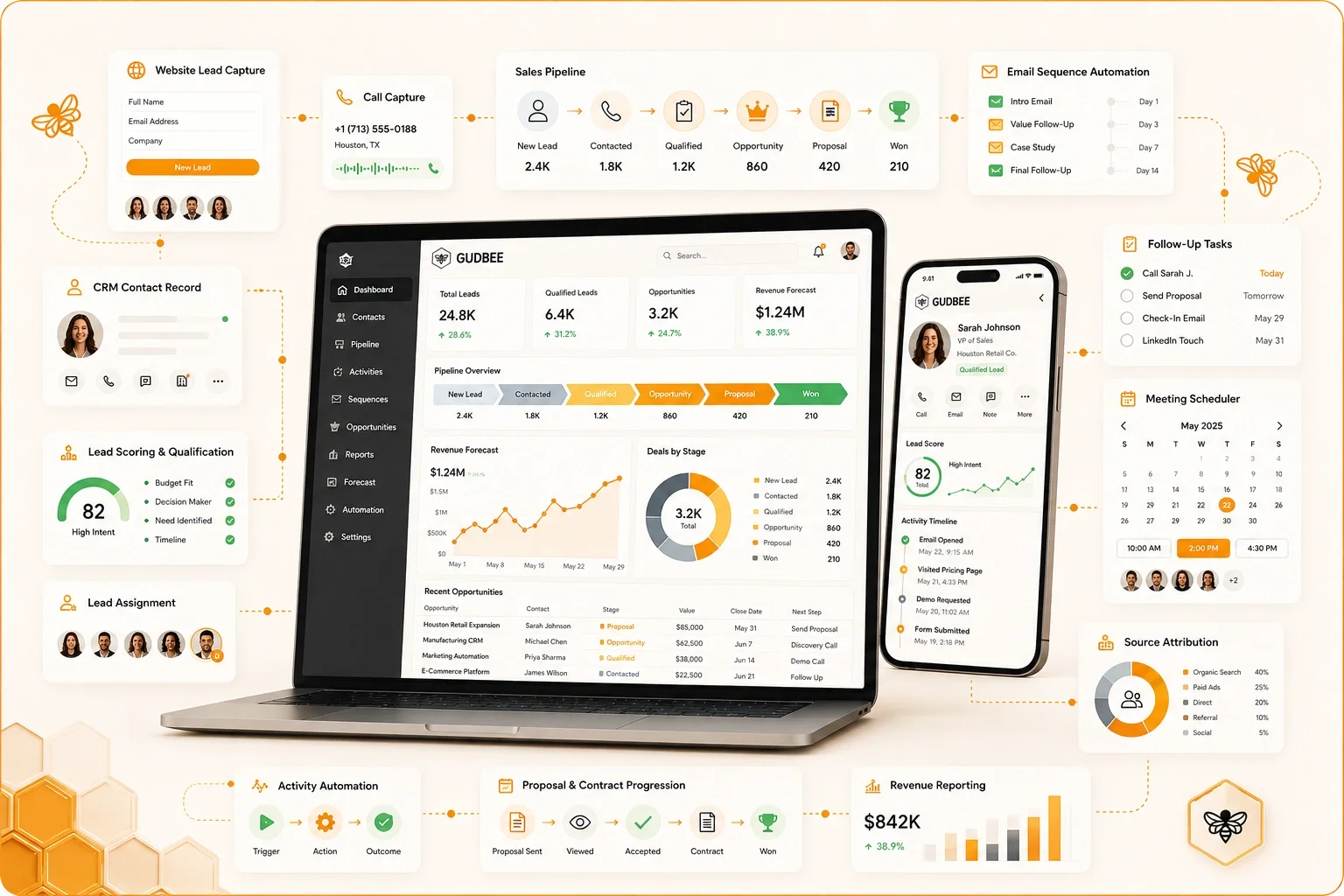
Give every qualified lead a clear owner, next action, follow-up process, and path through the sales pipeline. GudBee connects lead capture, qualification, CRM assignments, sales tasks, email sequences, meetings, opportunities, proposals, contracts, forecasting, and revenue reporting to reduce missed leads, inconsistent follow-up, manual work, and unreliable pipeline data.
Sales Enablement & CRM Automation
Stop Losing Qualified Opportunities Between Marketing and Sales
Many businesses invest heavily in generating interest but lack a dependable system for managing what happens after a person responds. Leads sit unassigned, follow-up depends on personal reminders, representatives duplicate work, opportunities remain open too long, and leadership receives forecasts based on incomplete CRM records. The result is lost revenue, wasted sales capacity, and no reliable view of what is actually happening in the pipeline.
What a Reliable Sales Process Should Make Clear
01.
How quickly are new leads contacted?
Establish response-time expectations, automated alerts, task creation, escalation rules, and reporting that shows whether qualified inquiries receive timely attention.
02.
Who owns each lead and opportunity?
Route leads using territory, service, location, account type, availability, qualification criteria, or other approved business rules while preventing duplicate outreach.
03.
Which leads are actually qualified?
Define qualification criteria, required CRM fields, acceptance standards, disqualification reasons, and handoff rules that both marketing and sales can apply consistently.
04.
What happens after the first conversation?
Create clear next steps, follow-up tasks, meeting workflows, nurture sequences, pipeline-stage requirements, and escalation paths for opportunities that stop progressing.
05.
Why are prospects being lost?
Standardize won, lost, unqualified, delayed, and no-response reasons so leadership can distinguish process failures from pricing, timing, fit, competition, and capacity constraints.
06.
Which content should sales representatives use?
Organize approved emails, presentations, case studies, proposals, objection responses, pricing information, and follow-up materials around the buyer’s needs and pipeline stage.
07.
Which opportunities are likely to close?
Improve forecasting with defined stages, probability standards, required next actions, expected close dates, contact activity, deal age, and consistent opportunity hygiene.
08.
Which sources create revenue—and what can be automated?
Connect marketing sources to leads, opportunities, contracts, revenue, and sales-cycle performance while automating repetitive work without removing necessary human judgment.
Build the Complete Lead-to-Revenue System
GudBee documents how leads enter the business, how they are qualified, assigned, contacted, nurtured, converted into opportunities, moved through the pipeline, and recorded as won or lost. We then improve the CRM structure, automation, playbooks, sales content, integrations, reporting, and governance required to help teams work more consistently. Automation supports meaningful customer conversations—it does not replace judgment or force every buyer through the same process.
Sales Enablement & CRM Automation Experience
Trusted by Brands That Need Better Sales Execution
GudBee works with organizations that need a more dependable system for capturing, qualifying, assigning, following up with, and converting sales opportunities. Some businesses need to implement their first sales CRM. Others already have a platform but struggle with poor adoption, incomplete records, unclear stages, slow lead response, disconnected proposals, inaccurate forecasts, or automation no one understands.
GudBee can lead the complete sales enablement and CRM automation program or work alongside internal sales, marketing, revenue operations, technology, customer service, finance, and leadership teams. Our role is to build a practical system representatives can use and managers can trust.
Who We Support
Sales Systems Built Around How the Business Actually Sells
B2B Companies
Connect marketing inquiries, account information, qualification, sales assignments, meetings, opportunities, proposals, contracts, forecasts, and revenue reporting across longer buying cycles.
Professional Services Firms
Organize consultations, referrals, prospect needs, follow-up activity, proposals, engagement stages, decision makers, and service opportunities without relying on individual memory.
Financial Services Providers
Improve lead routing, appointment workflows, documentation, approved communication, follow-up accountability, pipeline visibility, and reporting while preserving necessary review and compliance controls.
Multi-Location Organizations
Route leads to the correct market, location, territory, department, or representative while giving leadership a consistent view of response time, pipeline status, capacity, and revenue performance.
Home-Service Businesses
Connect calls, forms, estimates, appointments, sales follow-up, unsold opportunities, service areas, job status, and revenue so valuable inquiries do not disappear between the office and field.
Technology Companies
Coordinate demo requests, free trials, product-qualified leads, account ownership, technical evaluations, sales sequences, opportunities, implementation handoffs, and recurring-revenue reporting.
Publishers and Membership Organizations
Manage advertising inquiries, sponsorships, subscriptions, memberships, renewals, partnerships, account communication, and expansion opportunities through a more consistent revenue process.
High-Volume Lead-Generation Teams
Improve response speed, lead distribution, duplicate prevention, qualification, nurture, reassignment, sales capacity, aging reports, lost-reason tracking, and source-to-revenue measurement.
The goal is not simply to install software or add more automation. GudBee creates the CRM structure, lead-management rules, sales playbooks, content, integrations, reporting, training, and governance needed to improve execution. Representatives should know what to do next, and managers should be able to trust what the pipeline is telling them.


Lead-to-Revenue Capabilities
Sales Enablement and CRM Automation Services
GudBee helps organizations design, implement, connect, and improve the systems that move qualified interest through lead capture, assignment, qualification, follow-up, opportunity management, proposals, forecasting, customer handoffs, and revenue reporting. Services can be delivered as a focused engagement or as part of an ongoing sales operations and CRM management program.
Service Group
Strategy, Audits, and CRM Foundation
Define the sales process, CRM requirements, system structure, and implementation priorities before adding more automation.
Sales Enablement and CRM Audits
Sales Enablement and CRM Audits
Sales problems are often blamed on lead quality when the actual breakdown occurs after the lead enters the business.
GudBee audits the sales process, CRM, forms, phone systems, lead sources, assignment rules, lifecycle stages, opportunity pipelines, follow-up, sales content, proposals, reporting, and team usage.
We identify problems such as:
- Leads without an assigned owner
- Slow first response
- Duplicate outreach
- Inconsistent qualification
- Stages that do not reflect the real sales process
- Opportunities without a next action
- Representatives storing information outside the CRM
- Old opportunities inflating the pipeline
- Marketing and sales using different lead definitions
- Proposals created manually
- Missing loss reasons
- Unreliable forecasts
- Revenue disconnected from marketing sources
- Automation that creates unnecessary tasks or messages
You receive a prioritized plan explaining what should be corrected, automated, documented, or removed.
Request a Sales CRM Audit
Sales Process Mapping
Sales Process Mapping
A CRM cannot improve a sales process the organization has never clearly defined.
GudBee documents how a qualified prospect should move from initial inquiry through evaluation, decision, and purchase.
The map may include:
- Lead creation
- Initial response
- Qualification
- Discovery
- Meeting or consultation
- Solution development
- Estimate or proposal
- Internal customer approval
- Negotiation
- Contract
- Closed sale
- Onboarding
- Expansion or renewal
For each stage, we define the responsible role, required information, customer action, internal action, exit criteria, automation, and reporting requirement.
Map Your Sales Process
Sales CRM Requirements Planning
Sales CRM Requirements Planning
The CRM should support the way the business sells rather than forcing the business to adopt unnecessary platform complexity.
GudBee documents the business, workflow, reporting, integration, security, and administration requirements the sales system must support.
Requirements may involve:
- Lead and account structure
- Sales roles
- Territories
- Products and services
- Opportunity stages
- Assignment rules
- Activities
- Proposals
- Quotes
- Contracts
- Forecasting
- Reporting
- Marketing handoffs
- Customer onboarding
- Integrations
- Permissions
- Mobile use
- Administration
This helps determine whether the current platform should be improved, expanded, consolidated, or replaced.
Define Your Sales CRM Requirements
Sales CRM Implementation
Sales CRM Implementation
GudBee configures or coordinates CRM environments around the approved sales process.
The implementation is designed to make ownership, customer progress, required actions, and reporting easier to understand.
Implementation may include:
- Leads
- Contacts
- Companies or accounts
- Opportunities
- Pipelines
- Products
- Custom fields
- Activities
- Tasks
- Views
- Lists
- Ownership
- Permissions
- Notifications
- Workflow automation
- Dashboards
- Integrations
The configuration is documented so representatives understand how to use it and administrators understand how it works.
Implement Your Sales CRM
CRM Sales Architecture
CRM Sales Architecture
Poorly structured CRM records make reporting and automation unreliable.
GudBee defines how customer, company, opportunity, contract, relationship, and activity records should be represented and connected.
The architecture may include:
- Individual leads
- Contacts
- Companies
- Buying groups
- Locations
- Opportunities
- Products and services
- Contracts
- Renewals
- Partners
- Referrals
- Customer relationships
- Sales activities
We establish clear relationships between records so the organization can see the complete sales history without creating unnecessary duplicate entries.
Improve Your CRM ArchitectureService Group
Lead Capture, Routing, and Qualification
Create a dependable path from first customer response to qualified sales ownership, with clear rules for intake, assignment, acceptance, and handoff.
Lead Capture and CRM Intake
Lead Capture and CRM Intake
A qualified opportunity can be lost before sales sees it.
GudBee connects approved lead sources with the CRM and defines how information should enter the sales process.
Lead sources may include:
- Website forms
- Phone calls
- Chat
- Events
- Webinars
- Advertising platforms
- Referrals
- Partner leads
- Imported lists
- Direct sales outreach
- Appointment systems
- In-person inquiries
We define which fields are required, how the source is preserved, where the record is created, and what happens when data is incomplete.
Improve Lead Capture
Lead Routing and Assignment Automation
Lead Routing and Assignment Automation
Manual lead assignment creates delays and inconsistent ownership.
GudBee builds routing logic that directs each inquiry to the appropriate representative, team, territory, or location.
Routing may consider:
- Geography
- Territory
- Product or service
- Location
- Industry
- Account size
- Language
- Lead source
- Representative availability
- Customer status
- Existing account ownership
- Qualification
- Round-robin distribution
We also define what happens when a representative is unavailable, the lead is not accepted, or the assignment fails.
Automate Lead Routing
Speed-to-Lead Automation
Speed-to-Lead Automation
A lead should not wait hours or days because no one noticed a notification.
GudBee creates practical response workflows based on real business hours, team capacity, lead value, and customer expectations.
Workflows can:
- Assign the lead
- Notify the representative
- Create a follow-up task
- Send an appropriate customer acknowledgment
- Escalate an unaccepted lead
- Reassign overdue inquiries
- Record the first-contact time
- Alert management to response delays
The process is built around realistic team capacity and business hours rather than an arbitrary response-time promise.
Improve Lead Response Time
Lead Acceptance and Rejection Workflows
Lead Acceptance and Rejection Workflows
Marketing and sales cannot improve lead quality when rejected leads disappear without explanation.
GudBee creates a structured process for sales to accept, return, disqualify, or reassign leads.
The workflow may capture:
- Qualification status
- Rejection reason
- Contactability
- Location eligibility
- Product or service fit
- Budget
- Timing
- Duplicate status
- Existing customer status
- Competitor or vendor inquiries
- Future opportunity potential
Marketing receives useful feedback, and leadership can identify whether problems originate with targeting, intake, routing, or follow-up.
Improve Lead Feedback
Lead Qualification Frameworks
Lead Qualification Frameworks
Not every inquiry should enter the sales pipeline.
GudBee defines qualification criteria based on the factors that indicate whether the business can and should pursue the opportunity.
Criteria may include:
- Customer need
- Product or service fit
- Location
- Budget
- Timeline
- Decision authority
- Company size
- Industry
- Technical requirements
- Existing solution
- Urgency
- Compliance requirements
- Sales capacity
Representatives receive consistent questions and definitions instead of making individual assumptions about what qualifies.
Standardize Lead Qualification
Marketing-to-Sales Handoff
Marketing-to-Sales Handoff
A lead handoff should provide enough context for sales to continue the conversation without forcing the prospect to repeat everything.
GudBee defines which customer, source, engagement, and qualification information should pass from marketing into the sales workflow.
The handoff may include:
- Original source
- Campaign
- Content viewed
- Product or service interest
- Form answers
- Location
- Engagement history
- Previous customer activity
- Qualification score
- Requested action
- Relevant notes
We also define when marketing should continue nurturing a contact rather than sending the record to sales too early.
Improve Marketing and Sales Handoffs
Sales and Marketing Service-Level Agreements
Sales and Marketing Service-Level Agreements
Marketing and sales frequently disagree because responsibilities and expectations were never documented.
GudBee helps define practical operating agreements that can be reinforced through CRM workflows, dashboards, and management routines.
The agreement may cover:
- What qualifies as a sales-ready lead
- How quickly sales should respond
- How many contact attempts are expected
- Which information marketing must provide
- When a lead returns to nurture
- How sales records outcomes
- Which loss reasons are required
- When inactive opportunities should close
- How lead-quality feedback is reviewed
- Which metrics both teams share
The agreement becomes part of the CRM workflow and reporting system instead of remaining a policy no one uses.
Align Marketing and SalesService Group
Pipeline, Follow-Up, and Sales Workflow
Make opportunity stages, next actions, follow-up, meetings, calls, and messages easier for representatives to manage and managers to review.
Pipeline and Opportunity Stage Design
Pipeline and Opportunity Stage Design
A pipeline should show meaningful customer progress, not a list of internal activities.
GudBee defines stages based on observable customer and sales events.
Stages may include:
- Qualification completed
- Discovery held
- Need confirmed
- Solution presented
- Proposal delivered
- Customer review underway
- Negotiation active
- Contract sent
- Closed won
- Closed lost
Each stage receives clear entry and exit rules, required fields, probability guidance, ownership, automation, and aging expectations.
Improve Your Sales Pipeline
Multiple Pipeline Configuration
Multiple Pipeline Configuration
Some businesses use one pipeline for every opportunity even when sales processes differ significantly.
GudBee evaluates whether separate pipelines are necessary or whether fields, filters, and views can provide sufficient control.
Separate processes may be needed for:
- New business
- Existing customer expansion
- Renewals
- Different products
- Different divisions
- Partnerships
- Locations
- Enterprise and small-business sales
- Direct and channel sales
We avoid creating separate pipelines when the added complexity would not improve ownership, workflow, or reporting.
Organize Multiple Sales Processes
Opportunity Management Automation
Opportunity Management Automation
Representatives should not have to remember every administrative update manually.
GudBee builds workflows that support the opportunity process without moving deals forward before the required customer action occurs.
Automation may:
- Create tasks
- Request missing information
- Notify managers
- Update dates
- Assign specialists
- Alert finance or operations
- Trigger proposal preparation
- Record inactivity
- Escalate stalled opportunities
- Start onboarding after a win
- Close obsolete records
The automation supports required work while keeping stage changes tied to real customer progress.
Automate Opportunity Management
Follow-Up Task Automation
Follow-Up Task Automation
Qualified opportunities are often lost because representatives do not know what to do next or forget to complete the action.
GudBee creates focused task automation with clear ownership, due dates, purpose, and completion expectations.
Tasks may be triggered by:
- Lead assignment
- First contact
- Meeting completion
- Proposal delivery
- Customer inactivity
- Contract status
- Renewal timing
- Opportunity age
- Customer request
- Escalation
The goal is to create useful next actions rather than large volumes of generic reminders.
Improve Sales Follow-Up
Sales Email Sequence Development
Sales Email Sequence Development
Sales sequences can help representatives maintain appropriate follow-up without rewriting every message.
GudBee develops approved sequences aligned with customer context, sales stage, timing, and business rules.
Sequences may support:
- New inquiry response
- Meeting scheduling
- Post-discovery follow-up
- Proposal follow-up
- No-response outreach
- Event follow-up
- Referral outreach
- Incomplete application recovery
- Renewal conversations
- Closed-lost re-engagement
Sequences include exit rules so customers stop receiving automated outreach when they respond, convert, opt out, or become ineligible.
Build Sales Follow-Up Sequences
Meeting and Scheduling Automation
Meeting and Scheduling Automation
Scheduling friction can delay qualified conversations.
GudBee connects supported scheduling tools with CRM records, representative availability, territories, meeting types, reminders, and follow-up.
Work may include:
- Representative assignment
- Meeting links
- Availability rules
- Qualification questions
- Time zones
- Location selection
- Confirmation messages
- Reminder messages
- Rescheduling
- No-show handling
- CRM activity records
- Post-meeting tasks
The workflow should make it easier for the right customer to schedule the right conversation with the right person.
Improve Sales Scheduling
Call and Conversation Workflow Support
Call and Conversation Workflow Support
Phone conversations often contain valuable sales information that never reaches the CRM.
GudBee helps establish consistent processes for recording call activity, outcomes, qualification, objections, appointments, and next steps.
The process may capture:
- Call attempts
- Connected calls
- Call outcomes
- Qualification notes
- Customer objections
- Follow-up dates
- Appointments
- Opportunity changes
- Disposition reasons
- Compliance requirements
Where supported and approved, call systems may be connected with CRM activity, routing, notifications, and reporting.
Improve Sales Call Workflows
SMS Sales Follow-Up
SMS Sales Follow-Up
SMS can support timely sales communication when customers have appropriately agreed to receive it.
GudBee creates controlled workflows for relevant customer-requested or transaction-related use cases.
SMS may support:
- Appointment confirmations
- Representative introductions
- Document reminders
- Application completion
- Quote follow-up
- Meeting reminders
- Status updates
- Customer-requested communication
We define timing, frequency, opt-out behavior, ownership, and coordination with phone and email activity.
Improve Sales SMS Follow-UpService Group
Sales Enablement, Content, and Deal Execution
Give representatives the guidance, content, proposal, approval, and contract systems needed to move qualified opportunities forward consistently.
Sales Playbooks
Sales Playbooks
Representatives need clear guidance for recurring customer situations.
GudBee creates practical playbooks connected to CRM stages, record types, task workflows, and real sales conversations.
Playbooks may cover:
- Qualification
- Discovery
- Product or service selection
- Common objections
- Competitive questions
- Pricing discussions
- Required documentation
- Proposal preparation
- Negotiation
- Closing
- Re-engagement
- Expansion
- Renewal
The playbook gives representatives a consistent operating framework without replacing professional judgment.
Build Your Sales Playbooks
Discovery and Qualification Guides
Discovery and Qualification Guides
Sales discovery becomes inconsistent when every representative asks different questions.
GudBee develops structured guides based on what the business must understand before recommending a solution.
The guide may address:
- Customer situation
- Business problem
- Desired outcome
- Current process
- Decision criteria
- Stakeholders
- Timing
- Budget
- Risks
- Requirements
- Existing systems
- Success measures
Responses can be captured in standardized CRM fields when they are important for handoffs, recommendations, or reporting.
Improve Sales Discovery
Sales Content Strategy
Sales Content Strategy
Sales teams often cannot find the right content when they need it.
GudBee identifies the materials required at each stage and determines which assets are missing, outdated, duplicated, or difficult to use.
Content may include:
- Company overviews
- Service sheets
- Product guides
- Case studies
- Comparisons
- Pricing explanations
- Implementation guides
- FAQs
- Technical documentation
- Security information
- ROI tools
- Customer stories
- Objection-response content
- Proposal materials
The content plan connects each asset to a customer question, sales stage, audience, owner, and intended action.
Build Your Sales Content Plan
Sales Content and Asset Libraries
Sales Content and Asset Libraries
A shared drive filled with outdated files is not a sales enablement system.
GudBee organizes approved sales content so representatives can find current materials without creating unapproved versions.
Assets may be organized by:
- Audience
- Industry
- Product or service
- Sales stage
- Customer problem
- Format
- Language
- Location
- Approval status
- Version
- Expiration date
- Usage restrictions
The library includes practical ownership and review rules so outdated materials can be replaced or archived.
Organize Your Sales Content
Proposal and Quote Automation
Proposal and Quote Automation
Manual proposal creation can slow response times and introduce pricing or content errors.
GudBee creates or coordinates systems for generating approved proposals from reliable CRM information.
Proposal data may include:
- Customer details
- Selected products or services
- Pricing
- Quantities
- Scope
- Locations
- Implementation timing
- Payment terms
- Optional services
- Expiration dates
- Assigned representative
Approvals are added where pricing, discounts, legal language, or nonstandard terms require review.
Improve Proposal Production
Pricing and Discount Approval Workflows
Pricing and Discount Approval Workflows
Uncontrolled discounting can reduce margin and make forecasting unreliable.
GudBee establishes approval workflows that record the request, decision, reason, and final terms.
Approval rules may consider:
- Discount amount
- Contract value
- Margin
- Product
- Customer type
- Payment terms
- Sales role
- Special conditions
- Leadership authority
The workflow gives sales a clear path to request exceptions while protecting pricing discipline and reporting accuracy.
Automate Sales Approvals
Contract and E-Signature Workflows
Contract and E-Signature Workflows
Contract delays can prevent completed negotiations from becoming revenue.
GudBee connects approved contract and electronic-signature tools with CRM opportunities where supported.
The workflow may include:
- Template selection
- Customer information
- Internal approvals
- Recipient routing
- Signature status
- Reminders
- Expiration
- Completed-document storage
- Opportunity updates
- Onboarding notifications
Legal language and contract requirements remain subject to client-approved legal review.
Improve Contract WorkflowsService Group
Customer Handoffs, Accounts, and Growth
Extend sales enablement beyond the first purchase with coordinated customer handoffs, account visibility, renewals, expansion, and relationship management.
Closed-Won Customer Handoffs
Closed-Won Customer Handoffs
Winning the opportunity should trigger a coordinated transition to onboarding, operations, fulfillment, or account management.
GudBee creates handoff workflows that transfer the information the next team needs without forcing customers to repeat themselves.
The handoff may include:
- Customer details
- Scope sold
- Products or services
- Start date
- Contract information
- Billing details
- Implementation requirements
- Responsible team
- Customer contacts
- Promised deliverables
- Special conditions
- Kickoff scheduling
The workflow reduces post-sale confusion and creates clearer accountability for the customer experience.
Improve Customer Handoffs
Closed-Lost Analysis
Closed-Lost Analysis
A lost opportunity should produce more than a generic “not interested” status.
GudBee creates consistent loss-reason categories and reporting that help teams distinguish process problems from fit, timing, price, competition, and customer decisions.
Loss reasons may include:
- Price
- Timing
- Competitor selected
- No decision
- Missing capability
- Budget removed
- Unqualified
- Unreachable
- Project delayed
- Internal solution
- Compliance restriction
- Duplicate opportunity
We analyze patterns by representative, product, industry, stage, source, and market to identify where the business can improve.
Learn From Lost Opportunities
Stalled Opportunity Management
Stalled Opportunity Management
Pipelines become unreliable when inactive opportunities remain open indefinitely.
GudBee defines inactivity thresholds and workflows adapted to the organization’s actual sales cycle.
The workflow can:
- Alert the representative
- Require a next action
- Notify the manager
- Change the forecast category
- Move the opportunity to nurture
- Close the record
- Schedule future re-engagement
- Document the reason for delay
The goal is to preserve legitimate future opportunities while removing records that no longer represent active customer progress.
Clean Up Stalled Opportunities
Renewal and Expansion Automation
Renewal and Expansion Automation
Existing customers may provide significant growth opportunities, but renewals and expansion conversations are often managed through spreadsheets or personal reminders.
GudBee builds processes that create tasks, alerts, opportunities, and communication at the appropriate time.
The process may consider:
- Contract end dates
- Renewal windows
- Product usage
- Customer health
- Upcoming needs
- Account reviews
- Additional locations
- Cross-sell opportunities
- Upsell opportunities
- Service changes
- Decision timelines
The workflow gives account owners enough time and context to prepare for renewal and expansion conversations.
Automate Renewals and Expansion
Account Management Workflows
Account Management Workflows
Sales enablement should continue after the first purchase.
GudBee creates structures for shared customer visibility across sales, account management, customer success, service, and leadership.
The account view may include:
- Account ownership
- Customer contacts
- Service history
- Meetings
- Open issues
- Expansion potential
- Renewals
- Relationship activity
This gives account teams a shared view of the customer and reduces dependence on one employee’s personal notes.
Improve Account Management
Account-Based Sales Enablement
Account-Based Sales Enablement
Complex B2B sales may involve several contacts, departments, locations, and decision-makers within one target account.
GudBee structures CRM records and workflows around coordinated account-level activity.
The structure may include:
- Target accounts
- Buying committees
- Roles
- Influence
- Engagement
- Opportunities
- Open tasks
- Content shared
- Meetings
- Account plans
- Risks
- Next actions
Marketing and sales can coordinate account activity without treating every individual contact as an unrelated lead.
Build Account-Based Sales Workflows
Territory and Representative Management
Territory and Representative Management
Territory confusion can create duplicate outreach, internal disputes, and missed opportunities.
GudBee defines assignment and reassignment rules using approved ownership criteria.
The process may address:
- Geography
- Account ownership
- Customer type
- Product
- Industry
- Territory changes
- Employee departures
- Temporary coverage
- Named accounts
- Shared accounts
- Reassignment
- Management approval
- Historical ownership
Clear territory rules help protect customer relationships while giving managers a reliable ownership model.
Improve Territory Management
Partner and Referral Lead Management
Partner and Referral Lead Management
Partner-generated opportunities need a process that protects the relationship and records the source correctly.
GudBee builds workflows for intake, qualification, ownership, partner communication, attribution, and outcome reporting.
The workflow may include:
- Partner intake
- Referral submission
- Qualification
- Ownership
- Partner notifications
- Status updates
- Commissions
- Attribution
- Duplicate handling
- Closed-won reporting
- Rejected-lead reasons
This gives partners better visibility and helps the business understand which relationships produce valuable opportunities.
Improve Partner Lead ManagementService Group
Data, Integrations, Reporting, and Governance
Improve the quality, connectivity, reporting, adoption, and long-term management required to keep the sales system reliable.
Sales Activity Capture
Sales Activity Capture
Pipeline reporting becomes incomplete when calls, emails, meetings, and notes remain outside the CRM.
GudBee helps configure or coordinate approved methods for capturing useful sales activity without filling records with low-value noise.
Activity may include:
- Emails
- Meetings
- Calls
- Tasks
- Notes
- Documents
- Proposals
- Customer responses
We balance data completeness with privacy, security, administrative effort, and the risk of capturing activity that does not improve decisions.
Improve Sales Activity Data
CRM Data Cleanup
CRM Data Cleanup
Sales automation cannot operate reliably on duplicate, outdated, or incomplete records.
GudBee cleans and standardizes core sales data and establishes rules that reduce future problems.
Cleanup may involve:
- Leads
- Contacts
- Companies
- Opportunities
- Ownership
- Territories
- Lifecycle stages
- Pipeline stages
- Close dates
- Products
- Sources
- Loss reasons
- Activity records
- Inactive accounts
We also establish validation, ownership, and maintenance rules to protect data quality after the cleanup is complete.
Clean Your Sales CRM
CRM Data Enrichment Planning
CRM Data Enrichment Planning
Additional business information can help representatives prioritize and personalize outreach, but enrichment should serve a defined purpose.
GudBee evaluates what information is necessary, how it will be sourced, where it will be stored, and how accuracy will be reviewed.
Potential enrichment may include:
- Industry
- Company size
- Location
- Revenue range
- Technology
- Job role
- Account relationships
- Contact changes
- Market segment
The plan avoids collecting information that adds cost or risk without improving qualification, routing, personalization, or reporting.
Improve Sales Data Quality
CRM and Sales Tool Integrations
CRM and Sales Tool Integrations
Sales teams often work across several systems.
GudBee can configure or coordinate supported integrations and document how information should move between platforms.
Integrations may involve:
- Website forms
- Marketing automation
- Calendars
- Calling
- SMS
- Scheduling
- Proposals
- Quoting
- E-signatures
- Customer support
- Payments
- ERP systems
- Accounting
- Data platforms
- Reporting
- Project management
We document which system owns each field, how information moves, and how integration failures will be detected.
Connect Your Sales Systems
Sales Forecasting Frameworks
Sales Forecasting Frameworks
Forecasts become unreliable when close dates, values, stages, probabilities, and next actions are not maintained consistently.
GudBee defines a forecasting approach that combines system standards, customer evidence, historical performance, representative judgment, and known risk.
The framework may use:
- Sales stages
- Stage requirements
- Opportunity value
- Expected close date
- Customer commitment
- Forecast category
- Historical conversion
- Sales-cycle length
- Representative judgment
- Known risks
The framework helps leadership understand what is committed, likely, possible, or no longer realistic.
Improve Sales Forecasting
Pipeline Reporting and Dashboards
Pipeline Reporting and Dashboards
Sales dashboards should help managers act, not simply display totals.
GudBee creates reporting around the questions managers and leadership need to answer consistently.
Dashboards may address:
- How many new leads entered?
- How quickly were they contacted?
- How many were accepted?
- Which sources generate qualified opportunities?
- Where do opportunities stall?
- What is the average sales cycle?
- Which representatives need support?
- Which deals lack a next action?
- What is likely to close?
- Why are opportunities being lost?
- How much pipeline is required to hit the target?
Definitions are documented so teams interpret each metric consistently.
Improve Sales Reporting
Marketing-to-Revenue Attribution
Marketing-to-Revenue Attribution
Marketing may know which campaigns generated leads while sales knows which customers generated revenue. Those views often remain disconnected.
GudBee helps preserve available source information as contacts move through qualification, opportunities, closed sales, renewals, and expansion.
Reporting may compare sources using:
- Lead quality
- Meetings
- Qualified opportunities
- Pipeline value
- Proposals
- Closed revenue
- Renewals
- Expansion
- Customer value
Attribution is not perfect, so known gaps, assumptions, and system limitations are documented.
Connect Marketing to Revenue
Sales Productivity Analysis
Sales Productivity Analysis
Automation should reduce unnecessary work, not create more administration.
GudBee evaluates how representatives spend time and identifies which tasks can be standardized, automated, delegated, simplified, or removed.
The analysis may review:
- Research
- Data entry
- Lead response
- Qualification
- Scheduling
- Follow-up
- Proposal preparation
- Approvals
- Internal meetings
- Forecasting
- Reporting
- Customer conversations
The goal is to protect time for meaningful customer work while improving data and process consistency.
Improve Sales Productivity
AI-Assisted Sales Workflows
AI-Assisted Sales Workflows
AI-assisted features may support tasks such as summarizing notes, drafting follow-up, categorizing records, identifying missing information, or prioritizing activity.
GudBee evaluates potential uses based on business value, platform capability, data sensitivity, accuracy, human review, security, privacy, bias, maintenance, and user adoption.
Potential support areas include:
- Conversation summaries
- Draft follow-up messages
- Record categorization
- Missing-information detection
- Suggested next actions
- Activity prioritization
- Content recommendations
- Administrative assistance
AI does not independently determine whether a prospect is qualified or what the business should promise. Important sales decisions remain subject to human review.
Evaluate AI Sales Automation
Sales CRM Governance
Sales CRM Governance
CRM systems become unreliable when users can create fields, stages, workflows, and reports without shared standards.
GudBee establishes practical governance that protects the system without preventing necessary improvement.
Governance may cover:
- Field creation
- Stage changes
- Workflow approvals
- Permissions
- Data ownership
- Naming conventions
- Integrations
- Reporting definitions
- Testing
- Documentation
- Archiving
- Change requests
- Quality assurance
- Issue escalation
The governance model clarifies who can change the system, how changes are reviewed, and how quality is maintained.
Establish CRM Governance
Sales Team Training
Sales Team Training
Technology adoption improves when training reflects each person’s actual responsibilities.
GudBee provides role-based instruction tied to the approved process, CRM configuration, and management expectations.
Training may support:
- Sales representatives
- Managers
- Sales operations
- Marketing
- Administrators
- Executives
- Account managers
- Customer-success teams
Training may cover lead handling, activities, qualification, pipeline stages, follow-up, proposals, forecasting, reporting, and data quality.
Train Your Sales Team
Sales Manager Coaching and Adoption Support
Sales Manager Coaching and Adoption Support
CRM adoption cannot be sustained by administrators alone.
GudBee helps managers use the CRM as a coaching and decision tool rather than an end-of-month reporting burden.
Operating routines may include:
- Lead-response reviews
- Pipeline meetings
- Opportunity coaching
- Forecast reviews
- Stalled-deal reviews
- Loss-reason analysis
- Data-quality checks
- Representative scorecards
- Process reinforcement
Managers learn how to reinforce the process, identify exceptions, coach representatives, and improve adoption through regular operating routines.
Improve Sales CRM Adoption
Ongoing Sales Operations and CRM Management
Ongoing Sales Operations and CRM Management
Sales processes continue changing as products, markets, teams, territories, and systems evolve.
GudBee can provide ongoing support that keeps the sales system usable, documented, connected, and aligned with the business.
Ongoing support may include:
- Workflow updates
- Routing
- Data cleanup
- Pipeline configuration
- Reporting
- Proposal automation
- Integrations
- User access
- Documentation
- Training
- Quality assurance
- Forecasting
- Sales content
- Process improvement
This gives the organization a consistent resource for maintaining and improving the lead-to-revenue system.
Build an Ongoing Sales Operations Program
Stop Letting the Sales Process Depend on Personal Memory
Qualified opportunities should not move forward only because one representative remembered to follow up, update a spreadsheet, or search through an email inbox.
GudBee creates the assignments, tasks, stage rules, content, approvals, and reporting needed to make consistent execution part of the system.

Sales Enablement & CRM Automation Agency In Houston, TX
Sales Enablement Built Around How Customers Actually Buy
GudBee does not begin by adding more fields, automations, or sales tools.
We first determine:
How does a prospect enter the business?
What makes the opportunity qualified?
Who should own it?
How quickly should the team respond?
What information does the representative need?
What does the customer need at each stage?
Which actions indicate real progress?
Where do opportunities commonly stall?
Which tasks require human judgment?
Which tasks can be automated?
How are proposals, approvals, and contracts handled?
What information does leadership need?
Can the team realistically maintain the process?
We then build the CRM structure, workflows, content, reporting, governance, and training around those answers.
This prevents the business from automating a broken process or forcing representatives to complete administrative work that does not improve the customer relationship.

Faster, Clearer Lead Ownership
GudBee routes qualified inquiries to the appropriate representative, creates the next action, and escalates leads that are not handled within the agreed process.
More Consistent Sales Execution
We connect CRM stages, tasks, playbooks, content, proposals, approvals, and follow-up so representatives do not have to recreate the process for every opportunity.
More Reliable Pipeline Visibility
GudBee improves stage definitions, required information, close dates, loss reasons, forecasting, and revenue reporting so leadership can make decisions using better sales data.
Sales Enablement and CRM Automation Agency in Houston
GudBee provides sales enablement, sales operations, and CRM automation services for Houston businesses serving local, regional, national, and international customers.
Houston organizations may manage complex sales activity across industries, territories, offices, service areas, divisions, partners, and customer types.
Our Houston-based team helps solve problems such as:
Qualified leads sitting unassigned
Slow sales response
Representatives contacting the same prospect
Leads routed to the wrong territory
Marketing and sales using different definitions
Opportunities without next steps
Inconsistent sales follow-up
Proposals created manually
Unapproved discounting
Inaccurate pipeline stages
Forecasts that change unexpectedly
Sales content spread across shared drives
Closed sales disconnected from marketing
CRM data representatives do not trust
Expensive platforms used as contact lists
Managers relying on spreadsheets instead of the CRM
GudBee builds the system around your sales process, team capacity, customer journey, technology, and revenue goals.
A Structured Lead-to-Revenue Framework
The GudBee Sales Enablement Process
GudBee connects revenue objectives, customer journeys, sales operations, CRM architecture, lead management, pipeline design, automation, playbooks, content, forecasting, training, and ongoing optimization. The process is designed to create a sales system representatives can use, managers can trust, and leadership can connect to measurable revenue performance.
Phase 01
Strategy, Journey, and Current-State Discovery
Establish the commercial outcomes, customer journey, current sales process, technology environment, stakeholder needs, and performance baseline before recommending changes.
Define Revenue and Sales Objectives
We identify the lead-response, qualification, pipeline, conversion, forecasting, productivity, and revenue outcomes the program must support.
Document the Customer Buying Journey
GudBee maps how prospects recognize a need, evaluate solutions, engage with sales, make decisions, sign agreements, and become customers.
Map the Current Sales Process
We document how leads are captured, assigned, contacted, qualified, moved through stages, quoted, closed, and handed to the next team.
Audit the CRM and Sales Tools
GudBee evaluates records, fields, stages, workflows, activities, integrations, proposals, dashboards, permissions, and team usage.
Interview Sales and Supporting Teams
We gather input from representatives, managers, marketing, sales operations, customer service, finance, technology, and leadership.
Analyze Sales Performance Data
GudBee reviews available lead volume, response time, acceptance, qualification, conversion, pipeline aging, win rate, sales cycle, loss reasons, and revenue.
Identify Process Breakdowns
We find unclear ownership, duplicate work, missing information, weak handoffs, slow approvals, manual tasks, stalled opportunities, and unreliable reporting.
Phase 02
Future-State Sales Process and CRM Design
Translate the discovery findings into an approved operating model with clear definitions, ownership, stages, routing logic, follow-up standards, and CRM architecture.
Define the Future Sales Process
GudBee establishes the approved lead, qualification, opportunity, proposal, close, and handoff process.
Establish Lead and Opportunity Definitions
We define terms such as inquiry, accepted lead, qualified lead, sales-ready lead, opportunity, closed won, closed lost, renewal, and expansion.
Design the CRM Architecture
GudBee defines leads, contacts, accounts, opportunities, products, activities, territories, relationships, fields, and ownership.
Create Pipeline Stages and Rules
Each stage receives entry criteria, exit criteria, required information, ownership, automation, probability guidance, and aging expectations.
Design Lead Routing
GudBee establishes territory, product, location, account, availability, and exception rules.
Define Response and Follow-Up Standards
We document response-time expectations, contact attempts, task sequences, escalation, and re-engagement requirements.
Phase 03
CRM Configuration, Data Preparation, and Automation
Prepare the data, configure the CRM, connect approved lead sources, and build the assignment and opportunity workflows required to support the future-state process.
Clean and Prepare CRM Data
GudBee corrects duplicate, incomplete, outdated, misassigned, and improperly staged records before major automation is activated.
Configure the CRM
We build or update approved fields, objects, pipelines, views, permissions, ownership, products, and reporting foundations.
Connect Lead Sources
GudBee integrates or coordinates website forms, calls, scheduling, chat, advertising, partners, events, and approved imports.
Build Assignment and Notification Workflows
We automate ownership, tasks, alerts, acceptance, escalation, and reassignment.
Build Opportunity Workflows
GudBee creates stage-related tasks, required information, inactivity alerts, approvals, and customer handoffs.
Phase 04
Sales Enablement, Testing, Launch, and Training
Equip representatives with practical guidance and content, implement deal-support workflows, validate real scenarios, and launch the system in controlled phases.
Develop Sales Playbooks
We create guidance for qualification, discovery, objections, proposals, negotiation, closing, and follow-up.
Develop Sales Content
GudBee creates or organizes the case studies, service sheets, comparisons, presentations, pricing explanations, and other materials representatives need.
Implement Proposal and Approval Processes
We configure or coordinate templates, pricing, discount review, document generation, and e-signature workflows.
Build Reporting and Forecasting
GudBee creates dashboards for lead response, pipeline, conversion, activity, opportunities, forecasts, losses, revenue, and representative performance.
Test Lead and Opportunity Scenarios
We submit test leads and validate assignment, notifications, tasks, stages, sequences, proposals, approvals, handoffs, and reports.
Complete User Acceptance Testing
Approved sales and management users confirm that the process reflects real business conditions.
Launch in Controlled Phases
GudBee activates the highest-priority workflows first and monitors them before expanding automation.
Train Representatives and Managers
Training is tailored to the activities, records, reports, and responsibilities of each role.
Phase 05
Adoption, Performance Improvement, and Expansion
Monitor how the system is being used, evaluate pipeline performance, correct operational issues, and expand automation only after the core process is working reliably.
Monitor Adoption and Data Quality
GudBee reviews record completeness, task execution, lead response, stage accuracy, activity capture, and user questions.
Review Pipeline Performance
We evaluate conversion, aging, stalled opportunities, loss reasons, forecast accuracy, and revenue.
Improve the Sales Process
GudBee updates workflows, content, definitions, tasks, stages, and reporting based on actual performance.
Expand Automation Carefully
Additional products, teams, territories, renewals, partner processes, and AI-assisted workflows are added after the core system operates reliably.
What Clients SAY
Build A Sales System That Helps Qualified Opportunities Move Forward
Your CRM should do more than store contact information.
It should help the team understand who owns the opportunity, what the customer needs, what should happen next, which content to use, where the deal stands, and whether the pipeline is likely to produce revenue.
GudBee brings sales process design, CRM configuration, lead routing, follow-up automation, enablement content, opportunity management, proposals, forecasting, reporting, and training together into one accountable program.
Sales Enablement & CRM Automation Frequently Asked Questions
What is sales enablement?
Sales enablement gives sales teams the processes, information, content, technology, training, and support needed to help qualified prospects make decisions.
It may include CRM workflows, playbooks, sales content, qualification standards, proposal tools, reporting, onboarding, and manager coaching.
What is CRM sales automation?
CRM sales automation uses defined rules and connected systems to complete repeatable sales tasks.
Examples include assigning leads, creating follow-up tasks, sending notifications, enrolling prospects in sequences, updating fields, requesting approvals, monitoring stalled opportunities, and initiating customer handoffs.
What does a Sales Enablement and CRM Automation agency do?
The agency evaluates how leads move from marketing into sales and how sales manages them through qualification, opportunity, proposal, close, and customer handoff.
GudBee then improves the process, CRM configuration, automation, content, reporting, training, and governance required to support consistent execution.
How is sales enablement different from sales training?
Sales training develops knowledge and skills.
Sales enablement is broader. It includes the process, content, technology, tools, workflows, data, and ongoing support representatives need to apply those skills.
Training is one part of the enablement system.
How is this different from CRM and Marketing Automation?
CRM and Marketing Automation primarily focuses on customer data, audience segmentation, lifecycle marketing, email, SMS, loyalty, nurture, retention, and campaign operations.
Sales Enablement and CRM Automation focuses on lead ownership, sales qualification, representative activity, pipeline management, follow-up, proposals, forecasting, closing, and revenue.
The services share lifecycle definitions and systems but support different parts of the customer relationship.
Can GudBee work with our current CRM?
Yes.
GudBee can audit, clean, restructure, configure, integrate, document, and automate an existing CRM without automatically recommending a replacement.
Can GudBee help us choose a CRM?
Yes.
GudBee can define business and technical requirements, compare appropriate platforms, estimate implementation needs, and identify the resources required for ongoing administration.
Can GudBee migrate our sales CRM?
Yes.
Migration may include leads, contacts, accounts, opportunities, products, activities, ownership, stages, tasks, documents, and reporting information.
Not every system allows all historical information to be exported or recreated. GudBee documents known limitations before the final migration where possible.
Can GudBee automate lead routing?
Yes.
Routing may use geography, territory, product, service, location, language, account ownership, lead source, representative availability, or qualification criteria.
Exception, escalation, and reassignment rules are included so leads do not remain unowned.
What is round-robin lead routing?
Round-robin routing distributes eligible leads among available representatives according to a defined sequence.
It may be appropriate when representatives handle similar customers and territories. Other businesses may need skill-based, account-based, or geographic assignment instead.
Can GudBee improve speed to lead?
GudBee can reduce preventable delays by automating lead creation, assignment, notifications, tasks, acknowledgments, escalation, and overdue-lead reporting.
Actual response time still depends on representative availability, staffing, business hours, and management expectations.
Can GudBee create lead qualification criteria?
Yes.
GudBee works with marketing, sales, operations, and leadership to define what makes a lead qualified, unqualified, not ready, or appropriate for nurture.
Can GudBee build lead scoring?
Yes.
Scoring may use customer fit, behavior, need, location, role, company characteristics, timing, engagement, and disqualifiers.
The score should be compared with real sales outcomes and adjusted over time.
Can GudBee automate marketing-to-sales handoffs?
Yes.
GudBee can establish qualification thresholds, assign ownership, create tasks, pass customer context, send notifications, and record sales acceptance or rejection.
Can GudBee create a sales pipeline?
Yes.
GudBee defines stages according to the real customer decision process and establishes entry criteria, exit criteria, required information, automation, and reporting.
How many sales stages should we have?
The number depends on the sales process.
GudBee recommends using enough stages to show meaningful customer progress without creating unnecessary administrative work. Internal tasks that do not indicate customer progress may belong in activities rather than separate stages.
Can GudBee manage multiple sales pipelines?
Yes.
Separate pipelines may be useful when products, business units, renewals, partnerships, or customer types follow meaningfully different processes.
Can GudBee automate sales follow-up?
Yes.
Follow-up may include tasks, emails, SMS, calls, reminders, meeting scheduling, proposal follow-up, inactivity alerts, and re-engagement.
Automation includes exit and suppression rules so customers do not continue receiving inappropriate messages.
Can GudBee write sales email sequences?
Yes.
Sequences may support first response, appointment scheduling, post-meeting follow-up, proposal follow-up, incomplete applications, no-response outreach, events, renewals, and re-engagement.
Can GudBee create sales scripts and playbooks?
Yes.
Playbooks can address qualification, discovery, objections, competitive conversations, pricing, proposals, negotiation, closing, and customer handoffs.
Can GudBee create sales collateral?
Yes.
GudBee can create service sheets, product guides, case studies, presentations, comparison documents, pricing explanations, proposal materials, and other content tied to specific sales stages.
Can GudBee organize our sales content?
Yes.
GudBee can create a searchable, governed content library with categories, versions, approval status, intended audience, stage, and expiration information.
Can GudBee automate proposals?
In supported systems, GudBee can create or coordinate proposal templates populated with approved CRM information.
Pricing, discounts, scope, legal language, and nonstandard terms may require internal approval before delivery.
Can GudBee connect electronic signatures?
Yes, when the CRM and selected signature platform support the required integration.
Workflows may record delivery, viewing, signature status, completion, expiration, and customer handoff.
Can GudBee automate discount approvals?
Yes.
Approval rules may be based on discount level, contract value, margin, product, sales role, or other business criteria.
Can GudBee automate customer onboarding after a sale?
Yes.
A closed-won opportunity can trigger notifications, tasks, records, kickoff scheduling, documentation, billing handoff, implementation steps, and customer communication.
Can GudBee manage renewals in the CRM?
Yes.
Renewal workflows can use contract dates, customer status, usage, account ownership, renewal windows, customer health, and required actions.
Can GudBee support upselling and cross-selling?
Yes.
GudBee can create workflows and opportunity processes based on customer products, account needs, service history, contract timing, and approved expansion criteria.
Can GudBee support account-based selling?
Yes.
GudBee can organize target accounts, contacts, buying roles, engagement, opportunities, tasks, content, and account plans within the CRM.
Can GudBee connect phone calls to the CRM?
In supported environments, calls, dispositions, recordings, notes, duration, and outcomes may be connected to CRM activity.
The implementation depends on the calling platform, CRM, privacy requirements, and approved internal policies.
Can GudBee connect calendars and meeting tools?
Yes.
Supported integrations may connect representative availability, meeting types, reminders, qualification questions, CRM records, and post-meeting tasks.
Can GudBee connect the CRM with accounting or ERP systems?
In some cases, yes.
GudBee can help define and coordinate data movement involving customers, products, quotes, orders, contracts, invoices, or revenue.
The implementation depends on available APIs, integration tools, security requirements, system ownership, and data quality.
Can GudBee improve sales forecasting?
GudBee can improve the process by clarifying stages, probabilities, close dates, forecast categories, required information, manager review, and opportunity hygiene.
No forecasting process can guarantee future revenue, but better definitions and data can make forecasts more useful.
Can GudBee connect marketing campaigns to sales revenue?
In many cases, yes.
This may require source tracking, campaign fields, CRM opportunity relationships, closed-sale data, customer identifiers, and consistent representative usage.
The level of accuracy depends on the systems, customer journey, tracking, and data quality.
Can GudBee improve CRM adoption?
Yes.
GudBee reduces unnecessary fields and tasks, aligns the system with the actual sales process, trains users, creates manager routines, documents workflows, and measures data completeness.
Adoption also requires consistent leadership expectations.
Can CRM automation replace sales representatives?
No.
Automation can assign records, create tasks, send approved communication, update information, and identify exceptions.
Representatives are still needed to understand customer needs, exercise judgment, build relationships, negotiate, and make responsible recommendations.
Can GudBee use AI for sales enablement?
GudBee can evaluate approved AI-assisted functions for summarization, drafting, classification, prioritization, research support, and workflow assistance.
Important customer, pricing, qualification, contractual, and forecasting decisions should remain subject to human review.
Will automation make our outreach feel impersonal?
It can when messages are generic, poorly timed, based on inaccurate data, or continued after a customer responds.
GudBee uses segmentation, exit rules, ownership, timing, and human handoffs to keep automation relevant.
Can GudBee manage several sales teams or territories?
Yes.
GudBee can configure teams, roles, territories, assignment rules, permissions, pipelines, reporting, and reassignment processes.
Can GudBee support franchise or multi-location sales?
Yes.
Work may include location-based routing, local ownership, centralized standards, lead escalation, market reporting, local offers, and corporate oversight.
Can GudBee build partner or referral workflows?
Yes.
GudBee can create partner submission, attribution, assignment, status reporting, commission, and closed-sale processes.
How does GudBee measure sales enablement performance?
Measurement may include:
- Lead response time
- Lead acceptance rate
- Qualification rate
- Contact rate
- Meeting rate
- Opportunity creation
- Stage conversion
- Pipeline velocity
- Sales-cycle length
- Proposal conversion
- Win rate
- Loss reasons
- Forecast accuracy
- Revenue
- Representative productivity
- CRM adoption
- Data completeness
- Renewal and expansion revenue
The selected metrics depend on the business model and sales process.
Why does our CRM pipeline not match actual sales?
Common causes include outdated opportunities, inaccurate stages, missing values, inconsistent close dates, duplicate records, incomplete activity, unrecorded losses, disconnected financial systems, or different revenue definitions.
GudBee investigates the process and data behind the difference.
How long does a sales enablement and CRM automation project take?
A focused audit or routing project may require several weeks.
A larger program involving process redesign, CRM implementation, data cleanup, integrations, proposals, reporting, content, and team training may require a phased engagement lasting several months.
How much does sales enablement and CRM automation cost?
Cost depends on the number of users, teams, pipelines, workflows, integrations, records, sales content, proposal requirements, reporting, training, and ongoing management.
Software licensing should be separated from agency strategy, implementation, and support fees.
Will our company own the CRM and sales assets?
The client should generally own its CRM, data, domains, sales content, core platform accounts, and other business assets.
Licensing, source files, integrations, administrator access, and transition responsibilities should be documented in the agreement.
Can GudBee train our sales team?
Yes.
Training can cover lead handling, qualification, activities, tasks, pipeline stages, content, proposals, forecasting, reporting, and data-quality expectations.
Can GudBee manage the CRM after implementation?
Yes.
Ongoing support may include routing updates, workflows, data cleanup, reports, user access, pipeline changes, proposal processes, integrations, documentation, and training.
Can GudBee work with our marketing, sales, and IT teams?
Yes.
GudBee can lead the engagement or work with sales leaders, representatives, marketing, revenue operations, CRM administrators, IT, finance, customer success, legal reviewers, and outside technology providers.
What will we receive from a Sales Enablement and CRM Automation engagement?
Depending on scope, deliverables may include:
- Sales enablement and CRM audit
- Customer buying-journey map
- Current sales-process map
- Future-state sales process
- CRM requirements
- Lead and opportunity definitions
- CRM architecture
- Pipeline and stage design
- Lead-routing rules
- Speed-to-lead workflows
- Lead acceptance process
- Qualification framework
- Marketing-to-sales handoff
- Sales service-level agreement
- Follow-up tasks
- Sales email sequences
- Scheduling workflows
- Call and SMS processes
- Sales playbooks
- Discovery guides
- Sales content strategy
- Sales collateral
- Content library
- Proposal templates
- Quote automation
- Approval workflows
- E-signature integration
- Closed-won handoffs
- Closed-lost analysis
- Renewal and expansion workflows
- Account-management processes
- Partner and referral workflows
- CRM data cleanup
- CRM integrations
- Sales dashboards
- Forecasting framework
- Marketing-to-revenue reporting
- CRM governance
- Team training
- Adoption support
- Ongoing CRM management